





 Like
Like Share
Share
 Report
Please see below code with explanation.
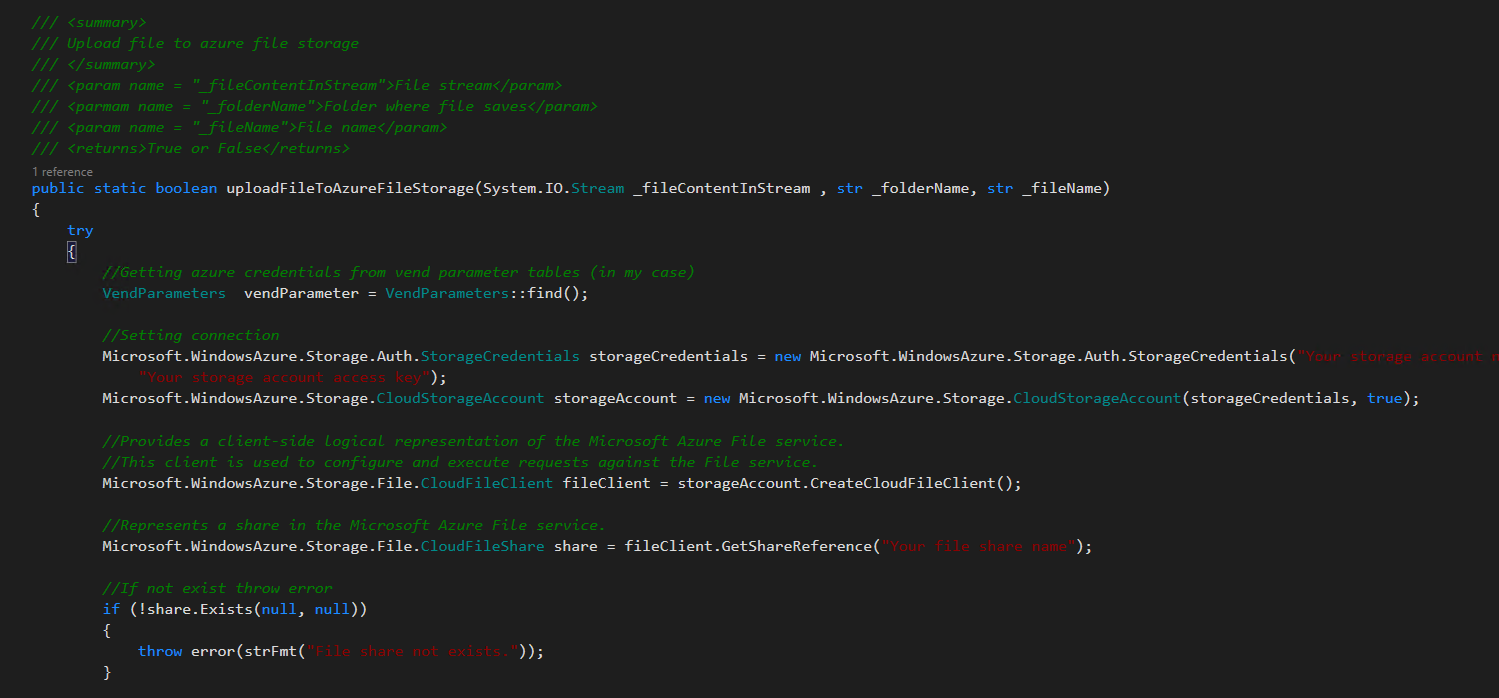
Explanation of source code (1.1):
- Getting azure credentials from vend parameter tables.
- Setting connection to access storage account.
- Initialize cloud file client which used to configure and execute requests against the File service
- Initialize cloud file share.
- Check file share exists or not.
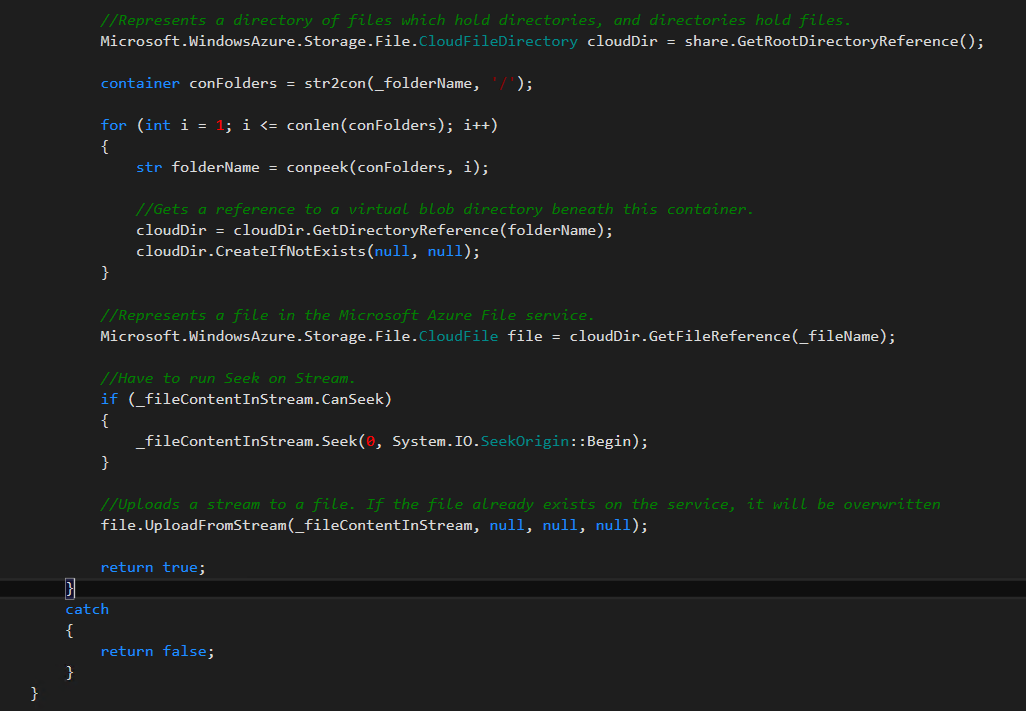
Explanation of source code (1.2):
- Initialize cloud file directory which is directory of files which hold directories, and directories hold files.
- Gets a reference to a virtual blob directory beneath this container.
- Initialize cloud file.
- Uploads a stream to a file. If the file already exists on the service, it will be overwritten.
Complete Source Code (Method):
/// <summary> /// Upload file to azure file storage /// </summary> /// <param name = "_fileContentInStream">File stream</param> /// <parmam name = "_folderName">Folder where file saves</param> /// <param name = "_fileName">File name</param> /// <returns>True or False</returns> public static boolean uploadFileToAzureFileStorage(System.IO.Stream _fileContentInStream , str _folderName, str _fileName) { try { //Getting azure credentials from vend parameter tables (in my case) VendParameters vendParameter = VendParameters::find(); //Setting connection Microsoft.WindowsAzure.Storage.Auth.StorageCredentials storageCredentials = new Microsoft.WindowsAzure.Storage.Auth.StorageCredentials("Your storage account name", "Your storage account access key"); Microsoft.WindowsAzure.Storage.CloudStorageAccount storageAccount = new Microsoft.WindowsAzure.Storage.CloudStorageAccount(storageCredentials, true); //Provides a client-side logical representation of the Microsoft Azure File service. //This client is used to configure and execute requests against the File service. Microsoft.WindowsAzure.Storage.File.CloudFileClient fileClient = storageAccount.CreateCloudFileClient(); //Represents a share in the Microsoft Azure File service. Microsoft.WindowsAzure.Storage.File.CloudFileShare share = fileClient.GetShareReference("Your file share name"); //If not exist throw error if (!share.Exists(null, null)) { throw error(strFmt("File share not exists.")); } //Represents a directory of files which hold directories, and directories hold files. Microsoft.WindowsAzure.Storage.File.CloudFileDirectory cloudDir = share.GetRootDirectoryReference(); container conFolders = str2con(_folderName, '/'); for (int i = 1; i <= conlen(conFolders); i++) { str folderName = conpeek(conFolders, i); //Gets a reference to a virtual blob directory beneath this container. cloudDir = cloudDir.GetDirectoryReference(folderName); cloudDir.CreateIfNotExists(null, null); } //Represents a file in the Microsoft Azure File service. Microsoft.WindowsAzure.Storage.File.CloudFile file = cloudDir.GetFileReference(_fileName); //Have to run Seek on Stream. if (_fileContentInStream.CanSeek) { _fileContentInStream.Seek(0, System.IO.SeekOrigin::Begin); } //Uploads a stream to a file. If the file already exists on the service, it will be overwritten file.UploadFromStream(_fileContentInStream, null, null, null); return true; } catch { return false; } } |
That is all you have to do to upload files on azure storage accounts.
*This post is locked for comments