web
You’re offline. This is a read only version of the page.
close
Skip to main content

Notifications

Announcements

Community site session details

Community site session details

Session Id :
Finance | Project Operations, Human Resources, ...
Suggested Answer

Configuration required to post vendor invoices in batch

(0) ShareShare
ReportReport
Posted on by 15

After pushing an Invoice via OData call to D365FO, it is getting created in "Pending" state. I can find this invoice under Account Payable > Invoices > Pending Vendor Invoices

I need to automate the posting of this pending vendor invoice using Process Automation. 

Could you please guide me through the configuration required to do so? 

Currently, I have done following setups - 

1. System Administration < Setup < Process Automation < Background Process 

"Vendor Invoice Batch Posting" is enabled
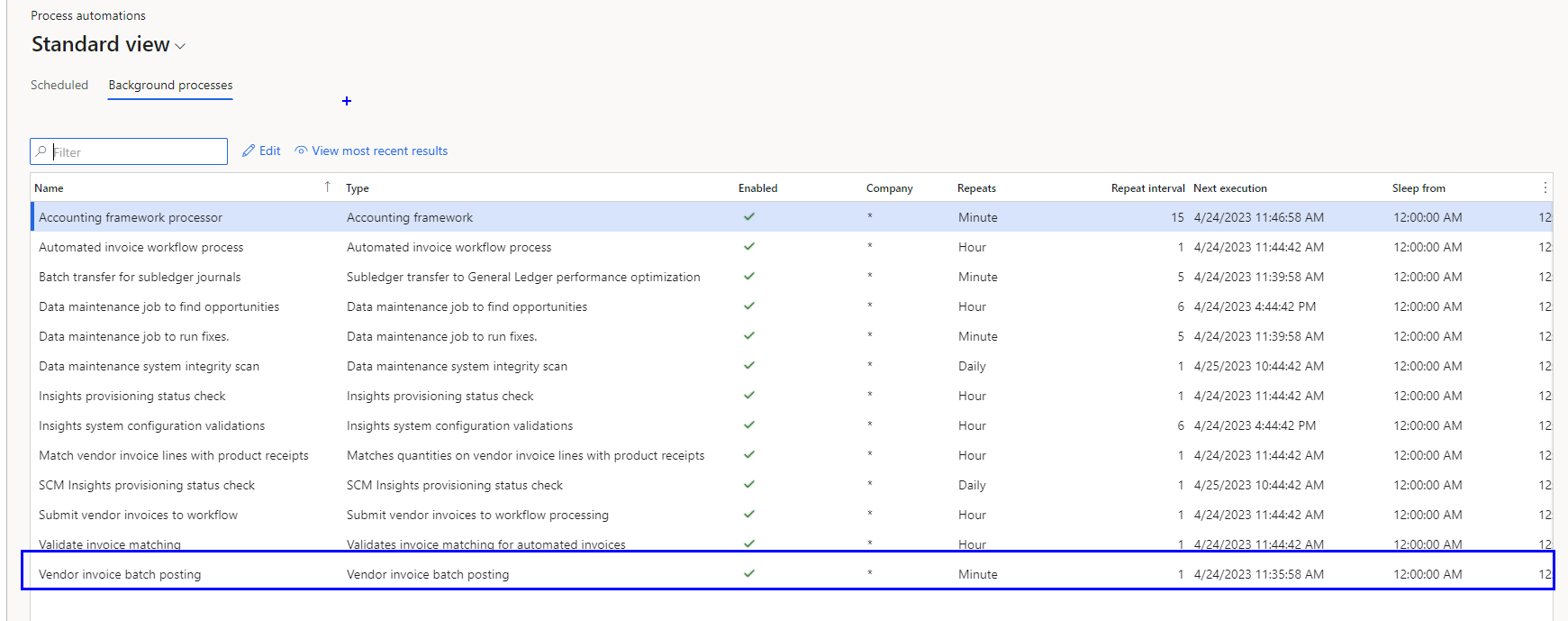
pastedimage1682357421152v1.png

2. Accounts Payable < Setup < Accounts Payable Parameters < Invoice < Invoice workflow
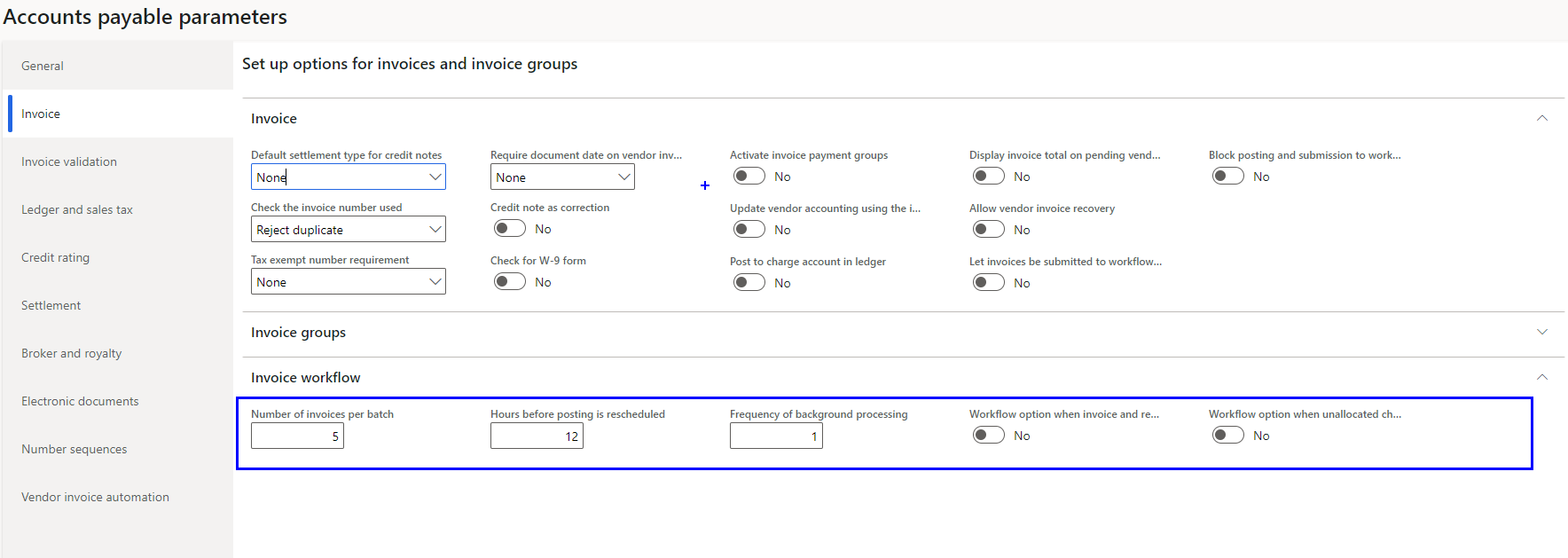
pastedimage1682357530189v2.png

3. Accounts Payable < Setup < Accounts Payable Workflows 

Enabled "Vendor Invoice workflow"
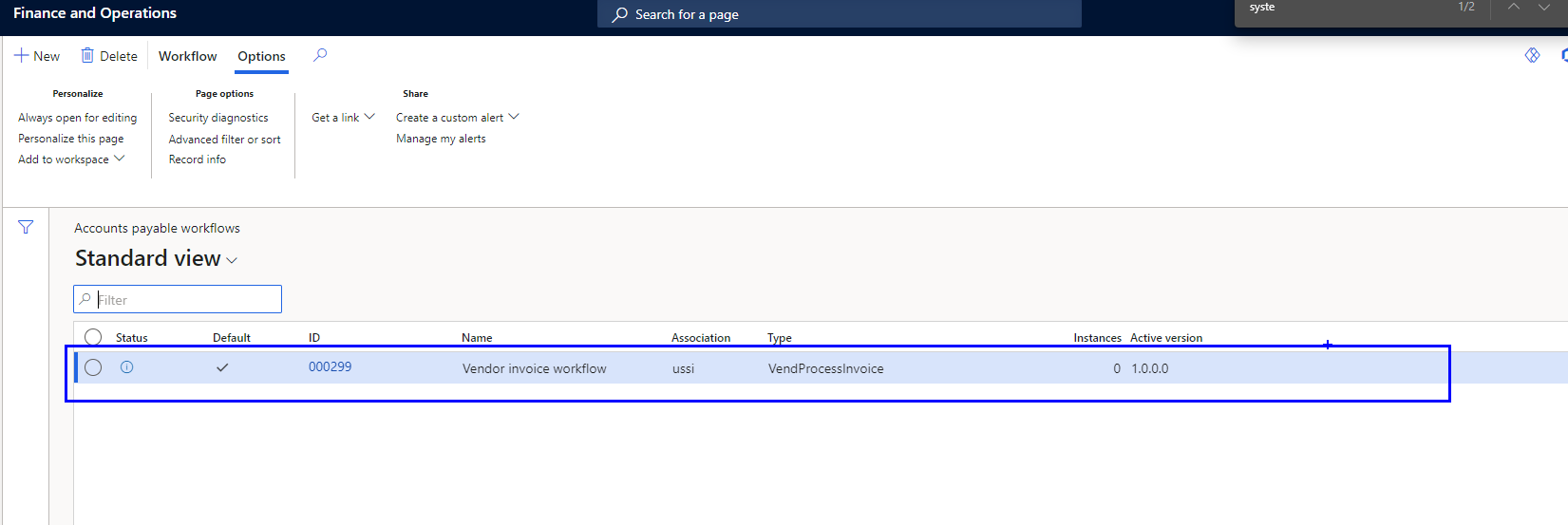
pastedimage1682357575754v3.png

The invoices are still in "Pending Vendor Invoice". Is there any other configuration that I might be possibly missing? How can I check the history incase of any possible failures?
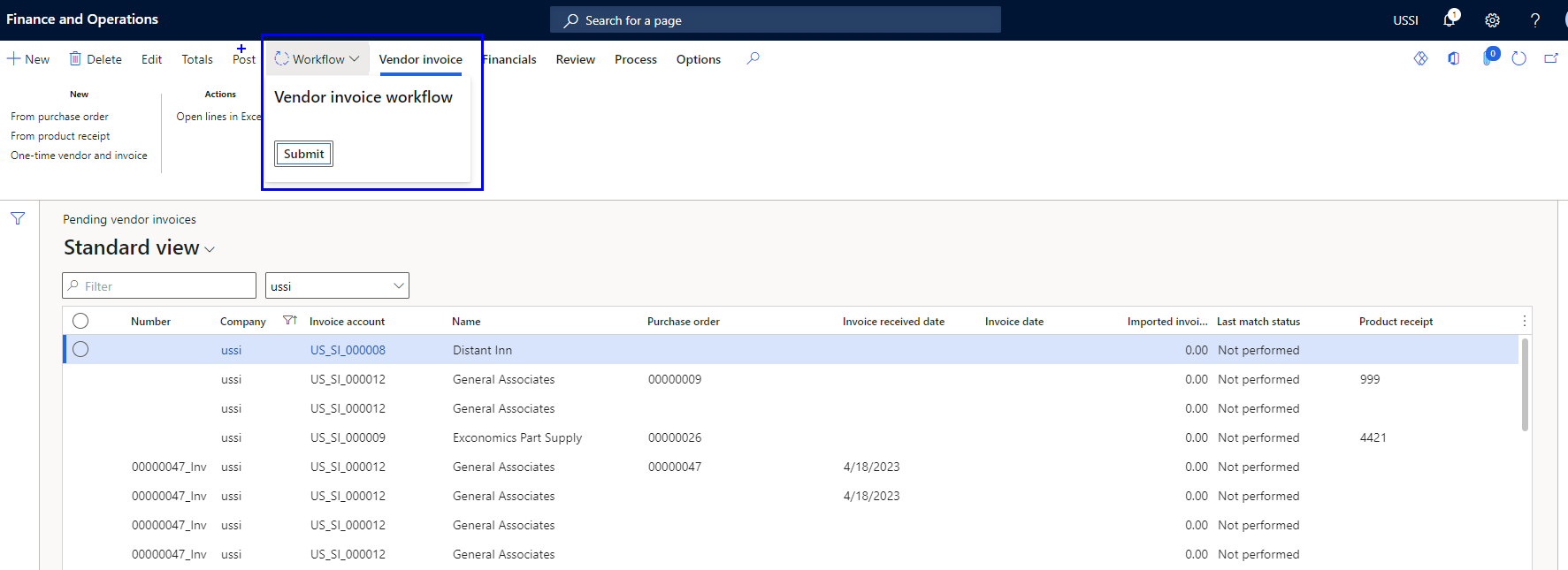
pastedimage1682357694331v4.png

Also, I do not want my invoice to be matched and coded. It needs to bypass this step. 

Regards,

Shailaja 

I have the same question (0)
  • Suggested answer
    BillurSamdancioglu Profile Picture
    Most Valuable Professional on at

    Hi,

    Did you setup the WF in designer?

  • Suggested answer
    saurabh bharti Profile Picture
    15,035 Moderator on at

    Hi,

    Please see below:

    exploredynamics365.home.blog/.../

    exploredynamics365.home.blog/.../

  • Shailaja Pathania Profile Picture
    15 on at

    Yes, I did. and Also activated it. 

    pastedimage1682412321171v1.png

  • Suggested answer
    BillurSamdancioglu Profile Picture
    Most Valuable Professional on at

    Can you please check if batch is running and batch server is setup.

  • Shailaja Pathania Profile Picture
    15 on at

    BillurSamdancioglu 

    1. I have enabled only this flag in  Accounts payable parameters < vendor invoice automation : "Automatically submit imported invoices to workflow" : Yes

    pastedimage1682413999128v2.png

    2. I initialized the process automation

    pastedimage1682414076324v3.png

    3. Below is the screenshot of my batch jobs. How can enable the second one?

    pastedimage1682413872988v1.png

Under review

Thank you for your reply! To ensure a great experience for everyone, your content is awaiting approval by our Community Managers. Please check back later.

Helpful resources

News and Announcements

[Smoke test 2510.1]

Quick Links

Mansi Soni – Community Spotlight

We are honored to recognize Mansi Soni as our August 2025 Community…

Announcing our 2025 Season 2 Super Users!

A new season of Super Users has arrived, and we are so grateful for…

Congratulations to the July Top 10 Community Leaders!

These are the community rock stars!

Leaderboard > Finance | Project Operations, Human Resources, AX, GP, SL

Last 30 days Overall leaderboard

Product updates

Dynamics 365 release plans
