web
You’re offline. This is a read only version of the page.
close
Skip to main content

Notifications

Announcements

Community site session details

Community site session details

Session Id :
Finance | Project Operations, Human Resources, ...
Suggested Answer

Not A Valid Dimension Value Combination - Charges Code

(0) ShareShare
ReportReport
Posted on by

Good afternoon,

We're on AX2012 R2 CU7 (yeah...old). Many months back, our Finance team created new account numbers, and departments for financial dimensions. They also updated the Configure Account Structures as part of this, which did change the valid combination to the new account/department only.
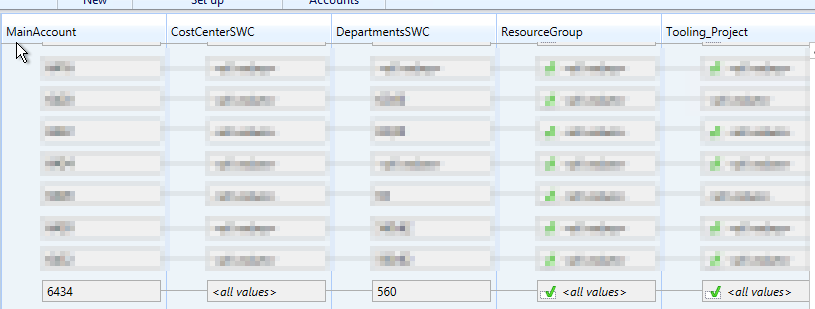
pastedimage1674247830567v5.png

We have had no issues processing any customer invoices until today, where our AR team is trying to add a Freight Charge to an invoice via the Charges Code function on the sales order. We very rarely have to use this Charges Code function. This Charges code existed before the creation of the new accounts and departments, and we have not used it since the change. 

When invoicing this order, we get the "Departments*** is not a valid dimension value in combination with the following dimension s values that are valid:" error. The error is referencing our "old" department combination instead of the new department. 

I checked the Charges Code configuration, and it only has the four digit Credit Account, not a combination I can update:
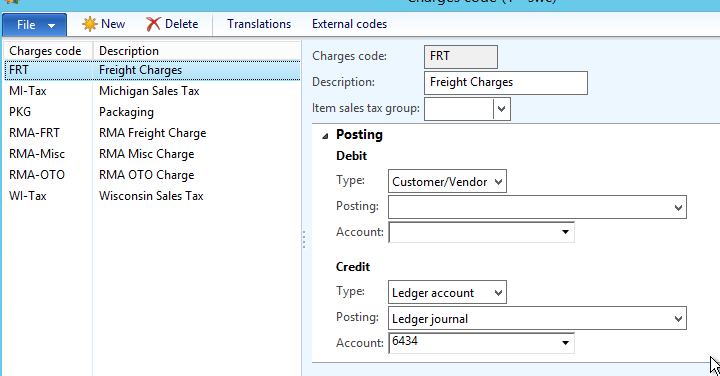
pastedimage1674247607725v3.png

I also checked the Main Account configuration, and this did list the old department originally in the Financial Dimensions here. We updated this to the new department number:
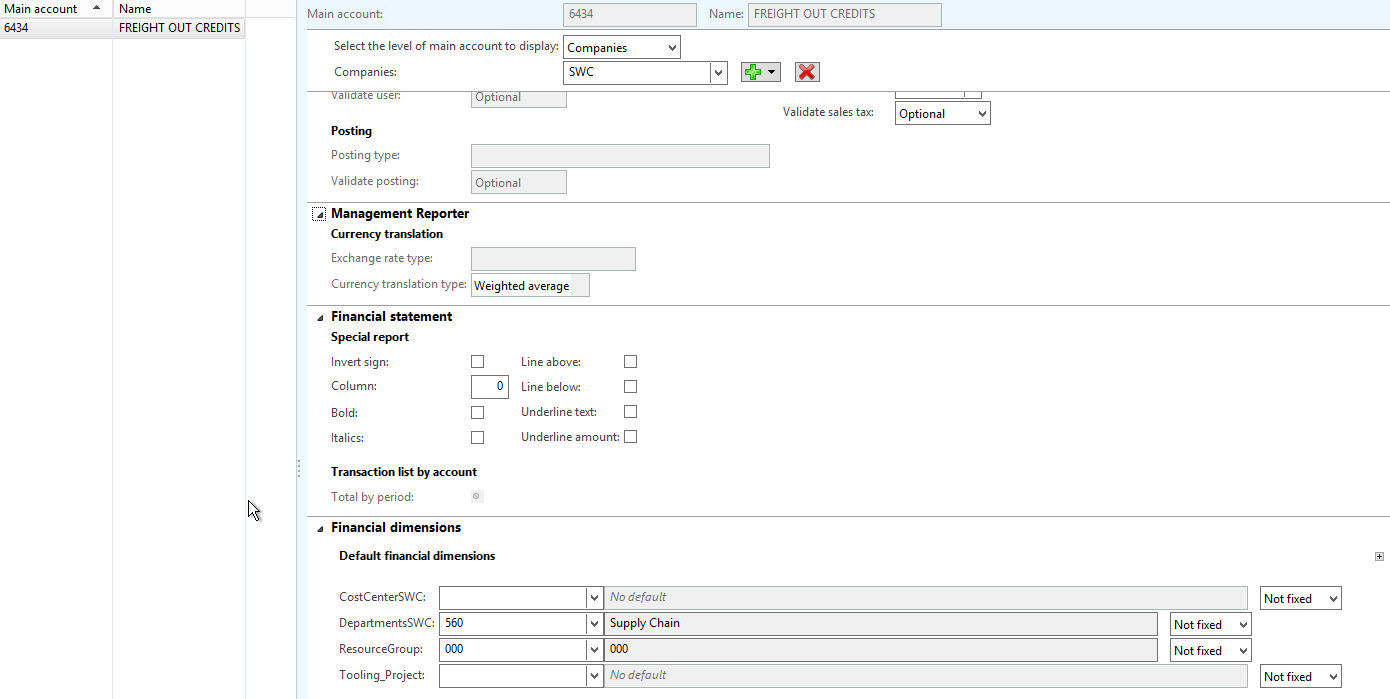
pastedimage1674247566503v2.png

We still get the error when invoicing:
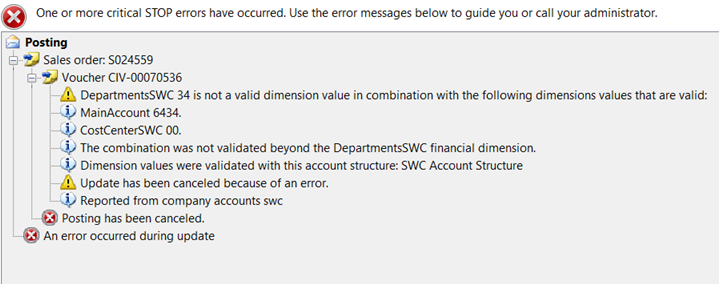
pastedimage1674247686488v4.png

What are we missing?

Thanks in advance!

I have the same question (0)
  • Carfair Composites Profile Picture
    on at

    Also, I did create a new Charges Code for this action, and we tried that one as well, and it still reported the same error above, referencing the old department "34" which should be going to "560."

  • Suggested answer
    DAnny3211 Profile Picture
    Moderator on at
  • Carfair Composites Profile Picture
    on at

    Thank you for the assistance.

    I checked into this and it doesn't look like this is the case for our issue. We don't use projects or expense management, and I couldn't find any financial dimension settings on the worker records. I looked at the Account Structure again and do not see where the date effective was specified, but our structure is working correctly and transactions posting accordingly (except for this one).

    We had a few users try to create the freight charge, and process the invoice, and we even created a new sales order to try it on, but all received the same error.

    Any other places I can look? I assume it has to be configuration tied to the Charges Code, to the function of applying the additional charge. Any other thoughts?

Under review

Thank you for your reply! To ensure a great experience for everyone, your content is awaiting approval by our Community Managers. Please check back later.

Helpful resources

News and Announcements

[Smoke test 2510.1]

Quick Links

Mansi Soni – Community Spotlight

We are honored to recognize Mansi Soni as our August 2025 Community…

Announcing our 2025 Season 2 Super Users!

A new season of Super Users has arrived, and we are so grateful for…

Congratulations to the July Top 10 Community Leaders!

These are the community rock stars!

Leaderboard > Finance | Project Operations, Human Resources, AX, GP, SL

Last 30 days Overall leaderboard

Product updates

Dynamics 365 release plans