





 Like
Like Share
Share
 Report
Step: 1
Initialize event handler of the datasource in which you want to override datasource field method. In my case I am using PurchLine_OnInitialized event handler as shown in image.

Step: 2
Then create a method in which you want to give your implementation details and subscribe it to OnInitialized event.
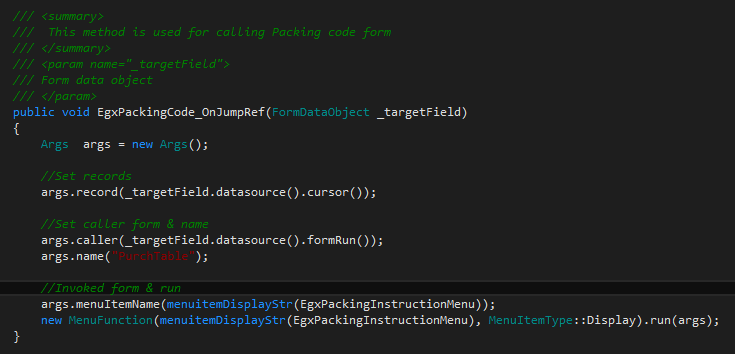
Using this approach we can override any data source field method.
Note: (Custom objects used in this example)
1- EgxPackingInstructionEventHandler (Event handler class)
2- EgxPackingCode_OnJumpRef (Method that provide the jumpRef Implementation)
3- EgxPackingInstructionMenu (Custom form display menu item)
Reference: AX 7. How to override form data source field methods without overlaying.
*This post is locked for comments